PublicHome/Software/Products/SplX23
The SpartanLync X23 System brings real-time tire, temperature and door monitoring to your entire fleet — combining rugged Gateway/Node on-vehicle hardware with the cross-platform X23 Manager (X23-Mgr) App for iOS, Android and Desktop. This page provides product resources for SpartanLync Customers and Partners.
Contents
What is the SpartanLync X23 System?
The SpartanLync X23 System is an end-to-end trailer & fleet sensor monitoring solution made up of two parts that work together:
- Gateway/Node hardware — a ruggedized on-vehicle Gateway/Node that
 reads TPMS, TempTrac and Door sensors over the vehicle's J1939 / CAN
 bus and organizes tractors, trailers and dollies into a "Train".
 Multiple Nodes join a Gateway to form a Train, and the Gateway bridges that
 live data to your phone, tablet or desktop over Bluetooth (BLE) or a
 wired CAN adapter.
- X23 Manager (X23-Mgr) App — the client software (this product) that
 discovers Gateway/Node Trains, visualizes their sensors on photoreal vehicle
 graphics, configures the TPMS controller, and — once you sign in with a
 SpartanLync account — securely shares live Train status across your Fleet.
Together they let a driver, technician or fleet manager see the health of every wheel, reefer zone and door on a Train at a glance — locally at the vehicle, or remotely across the Fleet.
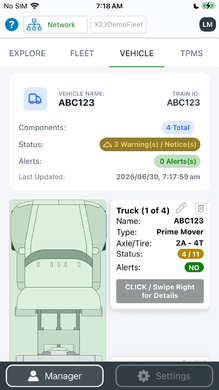
Photoreal SVG vehicle graphics render a full Train — tractor, trailer (up to 7 axles) and dolly (up to 2 axles)
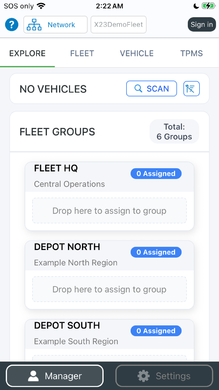
Discover every Gateway/Node Train on the CAN bus or over Bluetooth
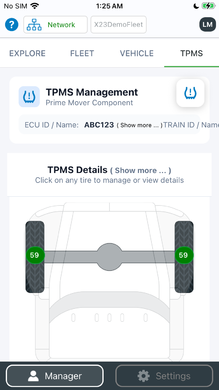
Live TPMS — pressure and temperature on every wheel


Key Features
- Complete sensor coverage — TPMS tire pressure & temperature, Standard
 Pressure baselines, Temperature-Warning thresholds, TempTrac multi-zone
 reefer temperature, and Door Status — all in one App.
- Works everywhere your fleet does — native iOS and Android
apps plus Windows and macOS Desktop (Intel & Apple Silicon).
- Two ways to connect — J1939 over Bluetooth (BLE) on phones and
tablets, or over a wired RP1210 / USB-Serial CAN adapter on Desktop.
- Fleet-Share — sign in with a SpartanLync account to publish live Train
 status, alerts and history to your Fleet, and view Trains shared by others —
 all behind a secure authentication wall, with the data owner in control.
- Drag-and-drop organization — scan your fleet and drop vehicles into
Fleets and Groups; no typing required.
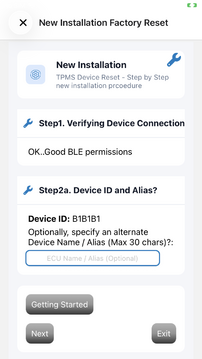
- Guided configuration — a "New Installation" wizard and a "Factory
 Reset" wizard set up Nodes and the TPMS controller from scratch, and
 QR / barcode scanning assigns sensor IDs in seconds.
- On-vehicle firmware updates — update the TPMS Controller firmware
directly from the Windows / macOS Desktop App.
- Multi-lingual — English, Spanish and French.
Installing the X23 Manager App
The X23 Manager App is available for mobile and desktop:
- Android — Get X23-Mgr on Google Play
- Apple iOS / iPadOS — Download X23-Mgr on the Apple App Store
- Windows / macOS Desktop — Download the X23-Mgr Desktop App
Once installed, open the Explore tab and the App will automatically scan for nearby Gateway/Node Trains over Bluetooth (mobile) or your connected CAN adapter (desktop). Sign in with your SpartanLync account to unlock Fleet-Share.
Gallery Tour of the X23 Manager App
Explore — discover and organize your fleet
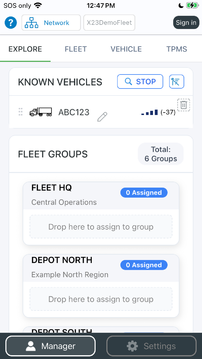
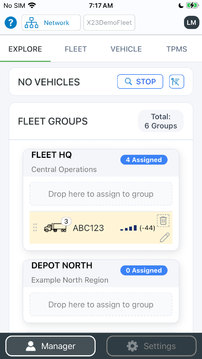
Live scan surfaces unassigned vehicles ready to be organized
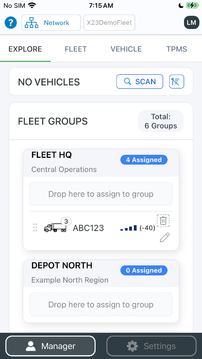
Discovered Trains snap into their Fleet Groups automatically
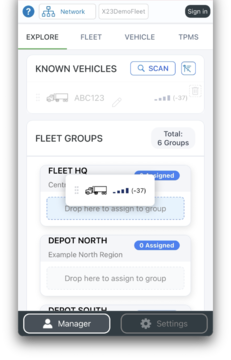
Drag-and-drop vehicles into Groups — no typing required
As a Producer, publish live Train status to your Fleet
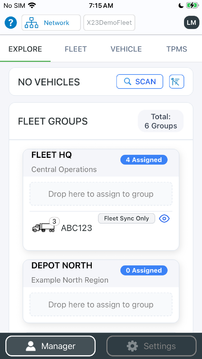
As a Consumer, view shared Trains — privacy controls stay in your hands


Fleet — monitor your whole operation at a glance
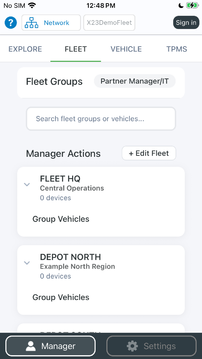
Organize your operation into Fleets
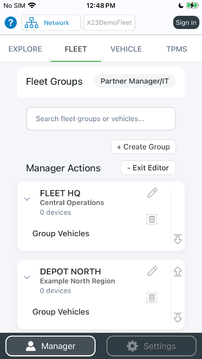
Create custom Groups for yards, routes or customers
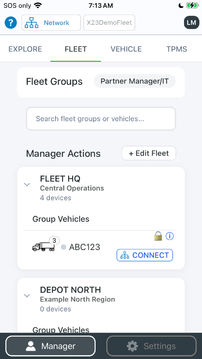
Producer view — every Train grouped and monitored
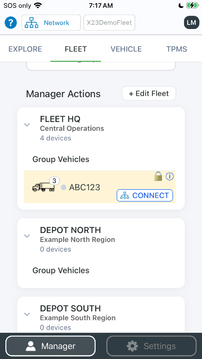
Locally-scanned Trains merge with cloud-shared Fleet data
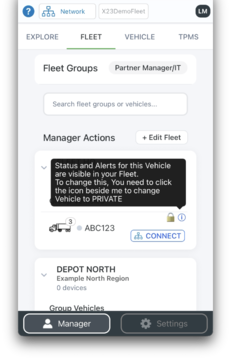
Decide exactly which Trains are shared with your Fleet
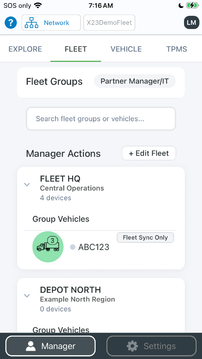
Green = healthy: all sensors nominal across the Train
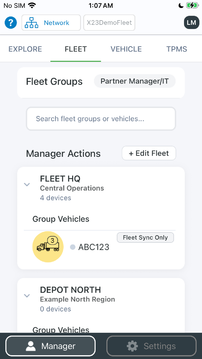
Amber = attention: an alert needs a look
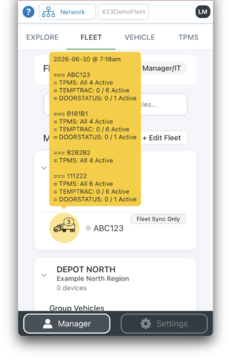
Drill into any alert for per-sensor detail


TPMS — tire pressure & temperature
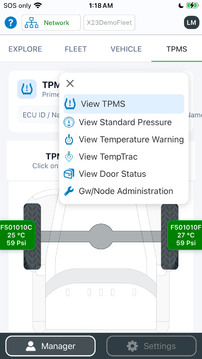
One menu, five monitoring systems
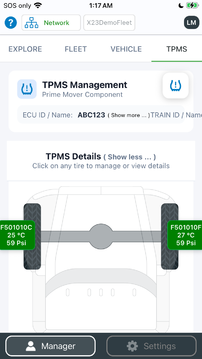
Tap any tire for full detail
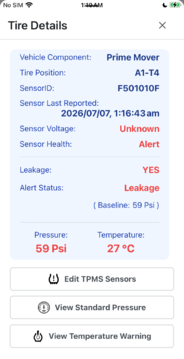
Per-tire pressure, temperature, battery and sensor ID
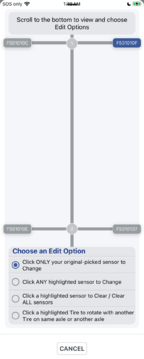
Assign sensors by scanning a QR / barcode
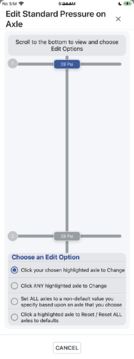
Set standard-pressure baselines
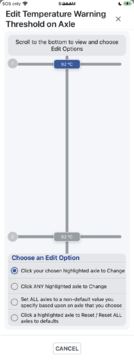
Configure temperature-warning thresholds


Standard Pressure & Temperature Warning
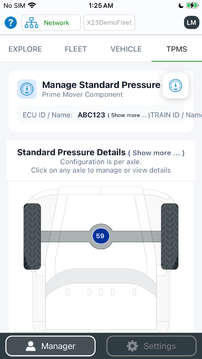
Standard-pressure deviation at a glance
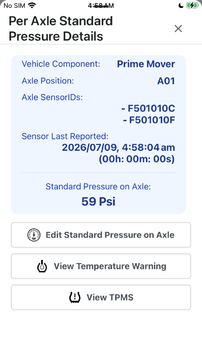
Over- and under-inflation flagged automatically
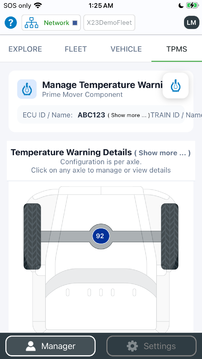
Temperature-warning summary across the Train
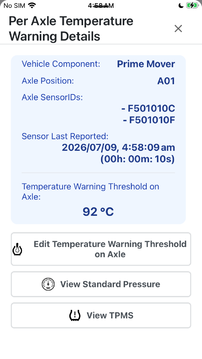
Hot-running tires surfaced before they fail


TempTrac — multi-zone reefer temperature
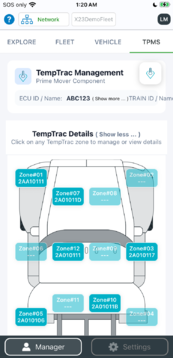
TempTrac — monitor multiple reefer temperature zones
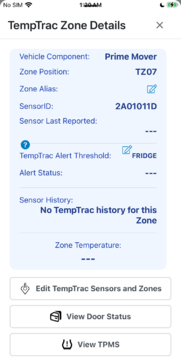
Per-zone temperature detail
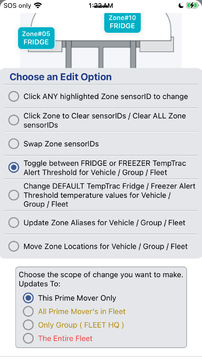
Define temperature zones (scopes)
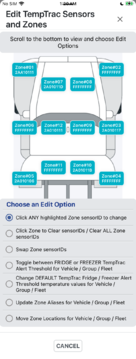
Map sensors to each zone


Door Status
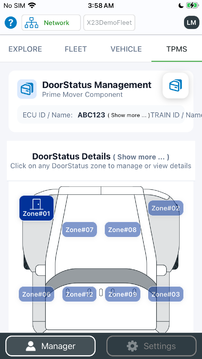
Door Status — open / closed at a glance
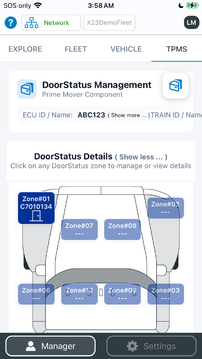
Live door detail per opening
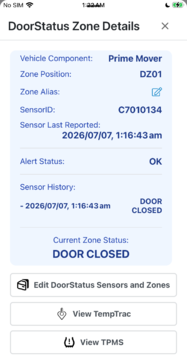
Per-zone door monitoring
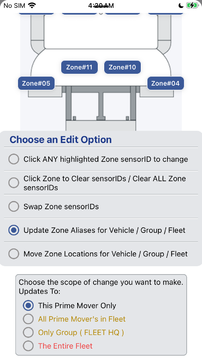
Define door zones
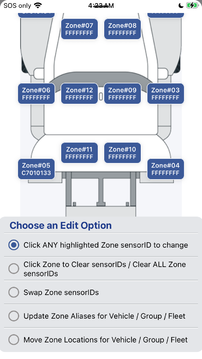
Assign door sensors


Account & Administration
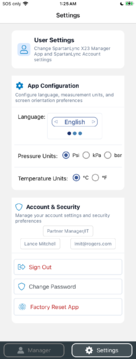
Sign in to unlock Fleet-Share and cloud history
Admin menu — advanced diagnostics and firmware tools


Privacy
Your privacy matters. See the SpartanLync X23 Manager Privacy Policy for how the App handles your data, including the authenticated Fleet-Share feature.
